

When you request an EV charger installation quote from us, one of the first things we will ask for is a set of photos of your electrical setup. This is not us being awkward. These photos allow us to assess your property remotely, identify any additional work that might be needed, and give you an accurate, fixed-price quote without wasting your time with unnecessary site visits.
Below, we explain the five key photos we need, where to find each component, and what to look for when taking the pictures. Most homeowners can do this in under ten minutes with a smartphone.
Quick Checklist: The Five Photos We Need
Before we go into detail, here is what we are looking for:
- Main cut-out fuse – with the fuse rating visible
- Main incoming supply cable – showing where it enters the property
- Consumer unit (fuse board) – with the cover open if you can do so safely
- Electric meter – showing the display and any model information
- Wide-angle overview – showing the full electrical setup and the proposed charger location
Now let us walk through each one in detail.
1. Main Cut-Out Fuse
What it is
The main cut-out fuse is your property’s primary safety device. It sits where the electricity supply first enters your home, typically next to or very close to your electric meter. The cut-out contains a fuse with a specific amperage rating, commonly 60A, 80A, or 100A in UK homes. This rating tells us the maximum power your property can safely handle, which directly affects whether we can add a 7.4kW EV charger circuit without overloading your supply.
Why we need it
If your main fuse is rated at 60A and your household already has a heavy electrical load, we may need to consider dynamic load balancing to ensure the charger does not trip your supply. Some chargers, such as the Easee One and Hypervolt Home 3.0, have built-in load balancing that can manage this automatically. Knowing your fuse rating upfront helps us recommend the right charger and quote accurately.
How to photograph it
Make sure you capture the entire cut-out unit with the fuse rating clearly visible. The rating is usually stamped on the fuse carrier or printed on a label attached to the housing. Use good lighting, shoot straight on, and avoid using flash, as reflections can obscure the numbers. If the rating is behind a removable cover, do not remove it yourself. Just let us know and we will check it during the installation.
2. Main Incoming Supply Cable
What it is
This is the thick cable that brings electricity from the street into your property. It is typically black, grey, or red and enters at or near your meter location. The cable type tells us about your earthing arrangement, which is one of the most important factors in EV charger installation safety.
Why we need it
Properties with a PME (Protective Multiple Earthing) supply, which includes the majority of UK homes, require careful earthing assessment for EV charger installations. In some cases, we need to install an additional earth electrode. Seeing the cable helps us identify the earthing type and plan accordingly. We also need to check whether your supply is “looped” (feeding another property), which requires additional consideration.
How to photograph it
Capture where the cable enters your property, any visible markings on the cable sheath, and the connection points at the cut-out and meter. If you can, take a photo showing the full visible route of the cable. Include any earth connections you can see, particularly at or near the consumer unit.
3. Consumer Unit (Fuse Board)
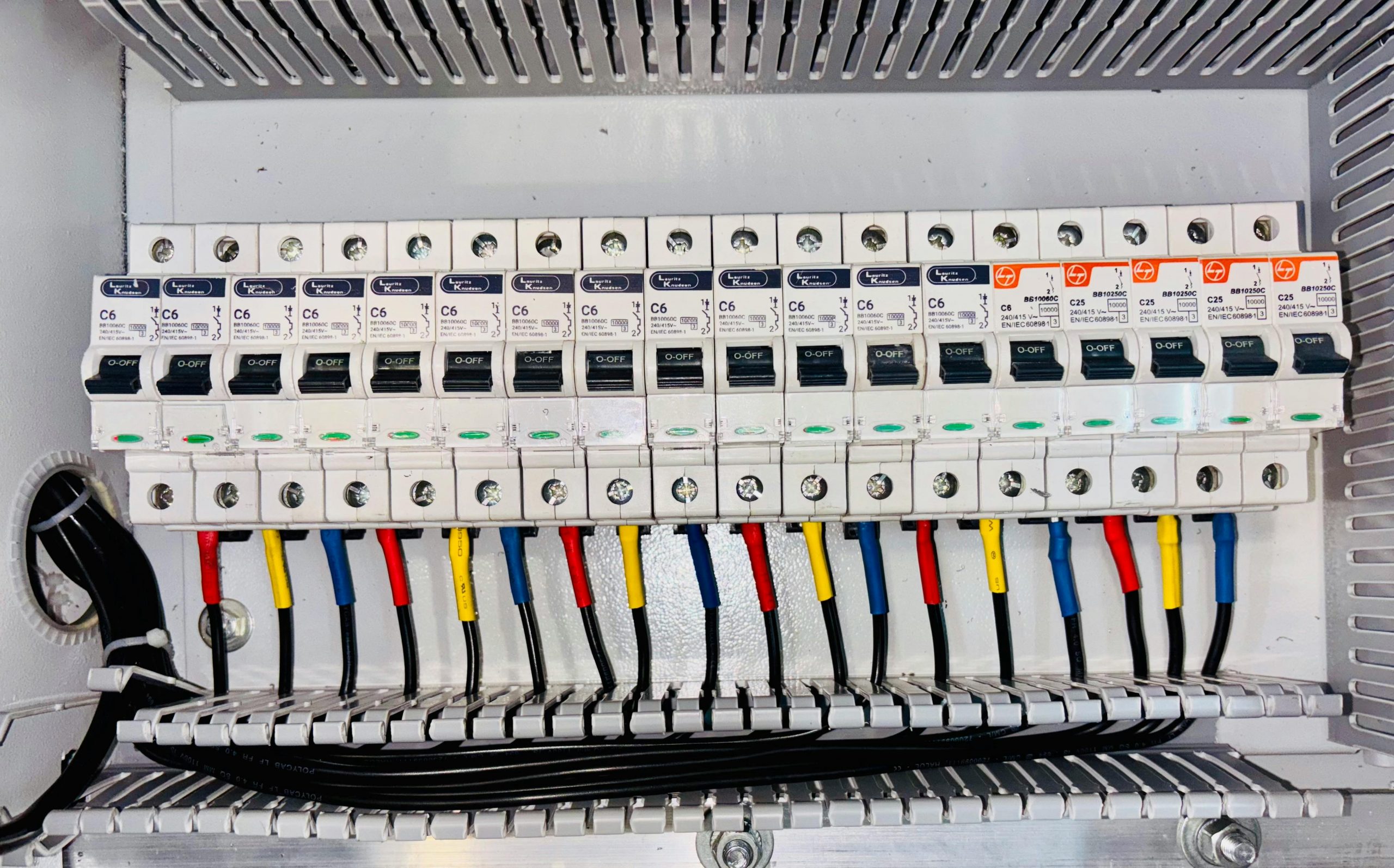
What it is
Your consumer unit distributes electricity to the different circuits in your home and contains circuit breakers or fuses that protect each one. Modern units are typically metal-clad boxes (white if indoors) mounted on a wall. If yours is an older plastic unit, it is worth noting that current regulations require metal-clad consumer units for new installations, so an upgrade may be part of the process.
Why we need it
An EV charger needs a dedicated 32A circuit from the consumer unit with appropriate RCD protection. We need to check whether your existing unit has a spare way (an empty circuit slot), whether it has adequate RCD protection, and whether it is in a condition that meets current regulations. If an upgrade is needed, this adds to the installation cost but also improves the safety of your entire home’s electrics. See our consumer unit upgrade page for more on this.
How to photograph it
If you can safely open the cover (it usually unclips or unscrews), take a clear photo showing all the breakers with their ratings visible. Capture any labels identifying which circuit is which, and make sure the main switch and any RCD devices are visible. Also photograph any empty slots, as these are where we would typically add the EV charger circuit. Include a photo of the rating label, usually found inside the cover or on the side of the unit. If you are not comfortable opening the cover, a photo of the closed unit is still helpful.
4. Electric Meter
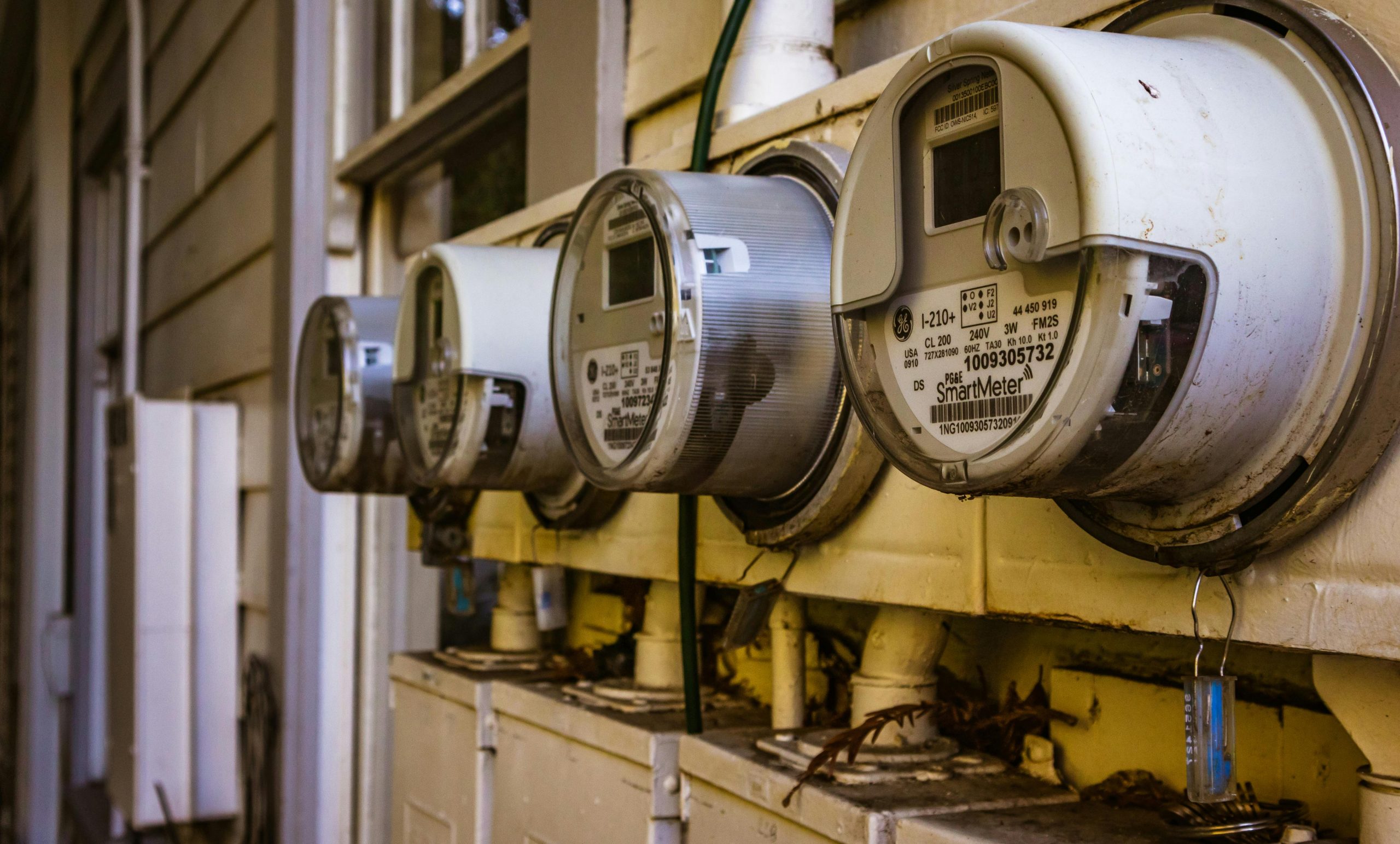
What it is
Your electric meter measures how much electricity your home uses. It may be a traditional analogue meter with a spinning disc or a modern smart meter with a digital display. If you have a smart meter, this can open up access to specialist EV charging tariffs that significantly reduce the cost of charging your car overnight.
Why we need it
The meter type and model help us understand your supply arrangement and identify whether you are already set up for a smart tariff. If you are considering a charger like the Ohme Home Pro, which integrates directly with Intelligent Octopus and other smart tariffs, knowing your meter setup in advance is particularly useful.
How to photograph it
Photograph the entire meter, making sure the display and any identifying information are clearly visible. If there is a model number or specification label, capture that too. Also photograph any surrounding equipment such as communication modules, timers, or isolator switches.
5. Wide-Angle Overview of Your Electrical Setup
What it is
This is a broader photo (or a few photos) showing the full area where your electrical equipment is located, plus the exterior wall and parking area where you would like the charger installed.
Why we need it
This overview helps us assess the complete layout: how the components relate to each other, how much space is available, and what the cable route might look like from the consumer unit to the charger position. If you have solar panels, we also need to see the inverter and any battery storage, as this affects charger choice. For example, the Zappi is our top recommendation for solar panel owners because of its real-time solar diversion capability.
How to photograph it
Take several wide-angle photos of the area where your electrical equipment is housed, showing everything from floor to ceiling. Then take a few exterior shots showing the wall where you would like the charger mounted and the parking area where your car would be plugged in. Try to give us a sense of the distance between the two, as longer cable runs affect both cost and installation time.
Tips for Better Photos
- Use natural light or turn on nearby room lights. Cupboards under stairs can be dark, so use your phone’s torch if needed.
- Avoid flash where possible. It creates glare on metal and plastic surfaces that can obscure labels and ratings.
- Shoot straight on, not at an angle. Labels and ratings are much easier to read in a flat, front-facing photo.
- Take more than you think you need. An extra photo or two is much easier than a follow-up request.
- If anything is unclear or hard to access, just let us know. We would rather you told us than risked opening something you are not sure about.
Frequently Asked Questions
Why do you need photos before you can quote?
The Easee One can be scheduled to charge during periods of high solar generation, but it doesn’t offer real-time solar diversion in the way Zappi does. If solar integration is your priority, we’d recommend looking at Zappi or Hypervolt first.
Can you provide a quote without photos?
We can give you a general price range based on the charger you are interested in, but we cannot provide a fixed-price quote without seeing your electrical setup. The photos ensure there are no surprises for either of us. If you would prefer, we can arrange a free site visit instead.
What if I cannot access my consumer unit or do not feel comfortable opening it?
That is absolutely fine. Send us what you can and let us know what you were not able to photograph. We can arrange a quick site visit to check anything that is difficult to access. Your safety always comes first.
Do I need to send photos if I have already had an electrician look at my setup?
If you have a recent EICR (Electrical Installation Condition Report) or know the details of your consumer unit and supply, that can be helpful alongside the photos. But we would still appreciate seeing the setup ourselves, as it helps us plan the cable route and charger positioning.
Ready to Get Your Free EV Charger Installation Quote?
Call us on 07736 736233 or fill in our EV charger quote form for a free, no-obligation assessment. We cover Watford, St Albans, Hemel Hempstead, Bushey, Rickmansworth, and throughout Hertfordshire. We will advise honestly on the right charger for your home, handle the grant application if you are eligible, and take care of everything from installation through to final certification.